How Can WhatsApp Users Manage Dual Accounts on a Single Device?
Managing dual WhatsApp accounts on a single device is possible and can be really useful. Whether you use built-in phone features, third-party apps, or the official WhatsApp Business app, you have options

Guest Column , Bio and Archives--August 23, 2024
Lifestyles | Comments | Reader Friendly | Subscribe | Email Us

Many individuals have multiple WhatsApp accounts for various purposes, such as personal and professional use. Managing multiple accounts on a single device can be challenging, but WhatsApp offers several solutions to make it easier. In this article, we will explore how WhatsApp users can manage dual accounts on a single device. We will look at different ways to do this, from using built-in phone features to trying out special apps.
WhatsApp is great for staying in touch, but sometimes one account isn't enough. We will learn how to use two WhatsApp accounts on one phone. It's easier than you might think!
Why Use Two WhatsApp Accounts?
Having multiple WhatsApp accounts can be beneficial for individuals who want to separate their personal and professional lives. For example, you may want to keep your work conversations separate from your personal conversations. Dual accounts can also be useful for individuals who share a device with others, such as family members or colleagues.
Many people like to keep their work messages separate from their personal chats. With two accounts, you can have one for work and one for friends and family. If you have two phone numbers, you might want to use both with WhatsApp. This is common for people who travel a lot or have phones from different countries.
Built-in Phone Features for Dual WhatsApp Accounts
Some phones come with features that let you use two WhatsApp accounts. Let's look at a few.
Dual Apps or App Cloning
Many Android phones have a feature called "Dual Apps" or "App Cloning." Here's how to use it:
- Go to your phone's Settings
- Look for "Dual Apps" or "App Cloning"
- Find WhatsApp in the list and turn on the switch next to it
- A second WhatsApp icon will appear on your home screen
Now you can set up a second WhatsApp account using a different phone number.
Work Profile on Android
Some Android phones let you create a "Work Profile." This is like having a separate part of your phone for work apps. Here's how to set it up:
- Go to Settings
- Look for "Accounts" or "Users"
- Choose "Add Work Profile"
- Follow the steps to set it up
- Install WhatsApp in your work profile
Now you have two separate WhatsApp apps - one for personal use and one for work.

WhatsApp Business App
WhatsApp offers a convenient solution for individuals looking to separate their personal and professional communications with the WhatsApp Business app. To utilize this feature, simply download WhatsApp Business from your app store, set it up with a different phone number than your regular WhatsApp account, and you'll have two separate WhatsApp apps on your phone.
This allows you to maintain a distinct presence for your business and personal life, making it easier to manage your communications and maintain a healthy work-life balance.
The Importance of FM WhatsApp for Dual Accounts
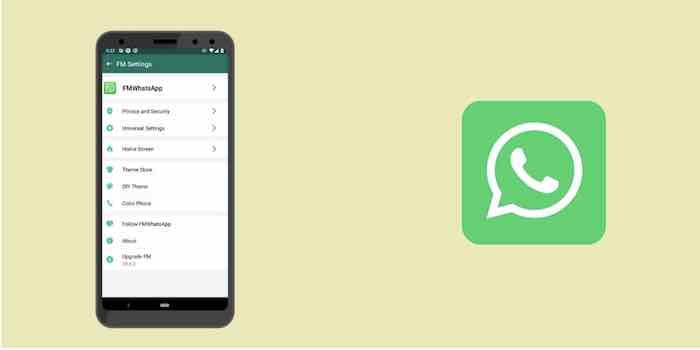
FM WhatsApp is a modified version of WhatsApp that offers additional features not available in the official app. One of its key benefits is the flexibility it provides for managing multiple accounts on the same device.
With FM WhatsApp, users can easily switch between different accounts without the need for cloning apps or using WhatsApp Business. This makes it an attractive option for those who want more control over their messaging experience.
Tips for Managing Dual WhatsApp Accounts
Managing two WhatsApp accounts can be challenging, but with a few simple tips, you can stay organized and avoid confusion. To start, set different notification sounds for each account, so you can instantly identify which account received a message without needing to check your phone. Additionally, be mindful of your status updates, as they may be visible to different groups of people, and adjust your content accordingly, especially if you're using one account for work and the other for personal use.
Finally, make sure to regularly back up both accounts to prevent message loss in case something goes wrong with your phone, giving you peace of mind and ensuring your important conversations are always safe.
Privacy and Security with Dual Accounts
Using two WhatsApp accounts doubles the importance of prioritizing privacy and security. To maintain control over your personal and professional communications, consider implementing different privacy settings for each account. For example, you might show your "last seen" status to friends but not to work contacts.
Furthermore, exercise caution when using linked devices like WhatsApp Web or Desktop. Ensure you log in to the correct account to avoid accidentally mixing personal and professional conversations. Always verify the account you're accessing to protect your sensitive information.
Limitations of Using Dual WhatsApp Accounts
While using two WhatsApp accounts can be incredibly helpful, there are some key considerations to keep in mind. For instance, having two accounts means you'll be using twice as much storage space on your phone.
Ensure you have sufficient room to accommodate both. Additionally, running two accounts simultaneously may drain your battery life faster. So, be mindful of your phone's power levels. Charge it more frequently if necessary, to avoid any disruptions to your communications.
Conclusion
Managing dual WhatsApp accounts on a single device is possible and can be really useful. Whether you use built-in phone features, third-party apps, or the official WhatsApp Business app, you have options. Just remember to be careful about privacy and security, and make sure you're using methods that are safe and legal.
Tom is the Marketing Manager at UppercutSEO, where he spearheads innovative strategies to help businesses elevate their online presence. With over a decade of experience in digital marketing, Tom specializes in marketing, content creation, and data-driven growth tactics. His passion for helping businesses succeed online is matched only by his commitment to staying ahead of industry trends. When he's not optimizing websites, Tom enjoys exploring the latest in marketing technology and sharing his insights through writing and speaking engagements.
View Comments
Items of notes and interest from the web.